
Google Business Profile Suspended? Discover everything you need to know about recovering your business listing with this complete 2026 guide. Learn the most common reasons for Google Business Profile suspension, including guideline violations, address issues, duplicate listings, suspicious edits, and verification problems. This informative article explains the Google Business Profile reinstatement process, how to submit a successful appeal, and the documents required to restore your listing. You’ll also find 15 proven recovery methods, expert local SEO tips, and best practices to prevent future suspensions. Whether your Google Business Profile is disabled, removed from Google Maps, or under review, this guide provides practical solutions to help you regain visibility and improve your online presence. Stay compliant with Google’s policies, protect your business reputation, and ensure customers can easily find your company through Google Search and Google Maps. Perfect for business owners, marketers, and local SEO professionals looking for reliable recovery strategies.
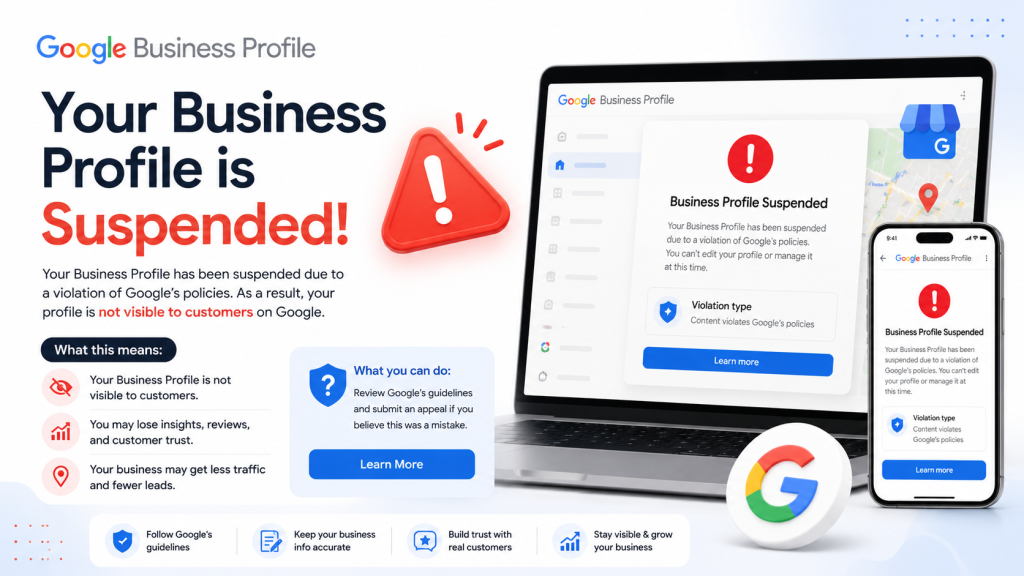
What Is a Google Business Profile Suspension? Complete Guide for Business Owners
A Google Business Profile suspension occurs when Google restricts or removes your business listing from appearing on Google Search and Google Maps because it may violate the platform’s guidelines or policies. If your Google Business Profile is suspended, potential customers may no longer be able to find your business online, which can significantly impact local visibility and customer inquiries.
When a Google Business Profile Disabled happens, your listing may become inaccessible, and you may lose the ability to manage important information such as business hours, photos, reviews, and updates. In some cases, only the management features are disabled, while in others, the listing disappears completely from public search results.
There are many reasons why a Google Business Profile can be suspended, including inaccurate business information, keyword stuffing in the business name, creating duplicate listings, using a virtual office as a physical location, or failing to comply with Google’s quality guidelines. Even small changes to your profile can sometimes trigger a review by Google’s automated systems.
Business owners should carefully review their profile details and ensure all information is accurate and consistent before requesting Google Business Profile reinstatement. Keeping your business name, address, phone number, website, and category up to date helps reduce the risk of suspension.
Understanding how Google Business Profile suspension works is the first step toward protecting your online presence. By following Google’s policies and maintaining a genuine, verified listing, businesses can improve their chances of staying visible in local search results and avoid unnecessary interruptions to their digital marketing and local SEO efforts.
Google Business Profile Suspended: Soft Suspension vs Hard Suspension Explained
If your Google Maps Listing Suspended notification appears in your dashboard, it is important to understand whether your listing has a soft suspension or a hard suspension. Knowing the difference can help you choose the right recovery strategy and speed up the Google Business Profile reinstatement process.
A soft suspension means that your Google Business Profile is still visible to customers on Google Search and Google Maps, but you lose the ability to manage or edit the listing. This usually happens when Google detects inconsistencies or requires additional verification. Although customers can still find your business, you cannot update information, respond to reviews, or make profile changes until the issue is resolved.
A hard suspension is more serious. In this case, your Google Business Profile Suspended listing is completely removed from public view and no longer appears in Google Search or Google Maps. Customers cannot discover your business online, which can lead to a significant loss of traffic, calls, and local leads. Hard suspensions often result from policy violations, inaccurate business details, duplicate profiles, or suspicious account activity.
To recover from either type of Google Business Profile suspension, review your profile carefully, ensure all business information is accurate, remove any guideline violations, and submit a Google Business Profile reinstatement request with supporting documents if required.
Understanding the difference between soft suspension and hard suspension helps business owners take the correct action quickly. By following Google’s policies and maintaining a trustworthy listing, you can reduce the risk of future suspensions and protect your local SEO performance and online visibility.
Top Reasons Your Google Business Profile Is Suspended in 2026
A Google Business Profile Suspended notification can be frustrating, especially when your business depends on local visibility. Understanding the most common reasons for a Google Business Profile suspension can help you avoid mistakes and keep your listing active on Google Search and Google Maps.
One of the biggest reasons a Google Business Profile is suspended is providing inaccurate or misleading business information. Your business name, address, phone number, website, and operating hours should always match your real-world details and official documents.
Another common cause is keyword stuffing. Adding promotional words or extra keywords to your business name instead of using your legal business name violates Google’s guidelines and may result in a Google Business Profile suspension.
Creating duplicate listings for the same business location can also trigger suspension. Google expects each legitimate business location to have only one verified profile unless special circumstances apply.
Using a virtual office, PO Box, or fake address as your primary business location is another major reason for suspension. Google requires businesses to provide accurate location information that customers can trust.
Frequent profile edits, suspicious account activity, selecting incorrect business categories, or uploading misleading content may also lead to your Google Business Profile being suspended. In some cases, changes made by unauthorized users can trigger an automatic review.
To reduce the risk of a Google Business Profile Suspended status, follow Google’s guidelines, keep your business information consistent, verify your listing properly, and avoid spammy SEO tactics. Maintaining a genuine and accurate profile not only helps prevent suspension but also improves your local SEO, strengthens customer trust, and increases your visibility in Google Search and Google Maps results.
Google Business Profile Guidelines 2026: Best Practices to Prevent Suspension
Following the Google Business Profile Guidelines 2026 is one of the most effective ways to avoid a Google Business Profile Suspended status and keep your listing visible on Google Search and Google Maps. Google regularly reviews business profiles to ensure they provide accurate and trustworthy information to users.
Start by using your official business name exactly as it appears on legal documents, signage, and branding. Avoid adding extra keywords, locations, or promotional phrases just to improve rankings, as keyword stuffing is a common reason for Google Business Profile suspension.
Make sure your business address, phone number, website, and operating hours are accurate and consistent across all online platforms. Incorrect or misleading information can trigger a review and increase the risk of your Google Business Profile being suspended.
Choose the most relevant primary and secondary business categories for your services. Selecting unrelated categories or creating duplicate listings for the same location may violate the Google Business Profile Guidelines and lead to suspension.
If your business serves customers at a physical location, ensure that the address is genuine and eligible under Google’s policies. Virtual offices, PO Boxes, and fake addresses should never be used for verification.
Regularly update your profile with real photos, business information, and posts while avoiding misleading content or spam. Secure your account with strong login credentials and monitor unauthorized changes that could affect your listing.
By consistently following the Google Business Profile Guidelines 2026, maintaining accurate information, and complying with Google’s policies, you can protect your business from a Google Business Profile Recovery status, strengthen your local SEO, and build greater trust with customers searching for your products or services online.
15 Proven Ways to Recover a Google Business Profile Suspended Listing
If your Google Business Profile Suspended notification appears, don’t panic. Follow these proven steps to improve your chances of a successful Google Business Profile reinstatement.
Review Google Business Profile Guidelines – Carefully read Google’s official policies to identify any violations that may have caused the suspension.
Check Your Business Name – Use your real business name only. Remove extra keywords, city names, or promotional phrases that violate Google’s guidelines.
Verify Your Business Address – Ensure your address is accurate, genuine, and eligible. Avoid using virtual offices, PO Boxes, or fake locations.
Update Contact Information – Confirm that your phone number, website URL, and email match your official business records and other online listings.
Remove Duplicate Listings – Delete or merge duplicate Google Business Profile listings to prevent confusion and policy violations.
Choose the Correct Business Category – Select the most relevant primary and secondary categories that accurately describe your business.
Correct Inaccurate Details – Review business hours, services, descriptions, and attributes to ensure they are truthful and up to date.
Upload Genuine Photos – Add real images of your business location, products, team, and services instead of misleading or stock photos.
Collect Supporting Documents – Prepare business licenses, GST certificates, utility bills, lease agreements, or registration documents for verification.
Submit a Reinstatement Request – Complete the official Google Business Profile reinstatement form with honest and accurate information.
Explain the Changes Clearly – In your appeal, describe what caused the issue and the corrections you made to comply with Google’s policies.
Avoid Multiple Appeals – Submitting repeated requests may delay the review process and create unnecessary confusion.
Monitor Google’s Email Updates – Check your inbox regularly and respond quickly if Google requests additional information or documentation.
Maintain NAP Consistency – Keep your Name, Address, and Phone Number (NAP) consistent across your website, social media profiles, and business directories to strengthen local SEO.
Follow Best Practices Continuously – After your Google Business Profile Suspended listing is restored, keep all information accurate, avoid spam tactics, and regularly review the Google Business Profile Guidelines to reduce the risk of future suspensions and maintain strong visibility on Google Search and Google Maps.
How to Fill Out the Google Business Profile Reinstatement Form Correctly in 2026
If your Google Maps Listing Suspended notification appears, submitting the Google Business Profile Reinstatement Form correctly is one of the most important steps toward restoring your listing. Providing complete and accurate information can improve your chances of a successful review.
Before filling out the form, carefully review your Google Business Profile and ensure that your business name, address, phone number, website, and business category comply with Google’s guidelines. Correct any inaccurate or misleading details before submitting your request.
When completing the Google Business Profile Reinstatement Form, enter the exact information associated with your suspended listing. Avoid using different contact details or business names, as inconsistencies may delay the review process or lead to rejection.
In the explanation section, clearly describe why you believe your Google Business Profile Suspended status should be removed. Mention any corrections you have made and explain how your profile now follows the Google Business Profile Guidelines. Keep your explanation professional, factual, and concise.
Attach supporting documents whenever possible. Business registration certificates, GST documents, utility bills, lease agreements, or official licenses can help verify the legitimacy of your business and strengthen your reinstatement request.
After submitting the form, monitor your registered email address for updates from Google. If additional documents or information are requested, respond promptly and provide accurate details. Avoid submitting multiple appeals for the same issue, as this may slow down the review process.
Completing the Google Business Profile Reinstatement Form carefully and honestly increases the likelihood of recovering a Google Business Profile Suspended listing and helps restore your visibility on Google Search, Google Maps, and local search results.
Recover Your Google Business Profile Suspended Listing Successfully
A Google Business Profile Suspended status can temporarily affect your online visibility, but it does not mean your business has lost its presence forever. With the right approach, many businesses successfully complete the Google Business Profile reinstatement process and regain their position on Google Search and Google Maps.
The first step is to identify the reason behind the suspension. Review your business information carefully and ensure that your name, address, phone number, website, and business category comply with the latest Google Business Profile Guidelines. Even small inaccuracies or policy violations can lead to a suspension.
Before submitting a reinstatement request, gather all necessary supporting documents, such as business registration certificates, utility bills, GST records, or lease agreements. Providing genuine evidence helps Google verify your business more efficiently and improves the chances of approval.
It is equally important to avoid common mistakes like creating duplicate listings, using keyword-stuffed business names, or submitting multiple appeals for the same issue. Patience and accuracy play a key role in the Google Business Profile recovery process.
Once your listing is restored, continue maintaining accurate information and regularly review your profile for updates. Consistent details across your website and online directories strengthen your local SEO and build trust with both Google and potential customers.
By following the correct recovery steps and staying compliant with Google’s policies, you can successfully overcome a Google Business Profile Suspended issue. A well-managed profile not only protects your business from future suspensions but also helps attract more local customers, improve search rankings, and support long-term business growth in an increasingly competitive digital marketplace.